Build Your Personal Agent with Lark
2026-05-24 · Yuyang Ding
First post in an ongoing series on Project Milo, the personal chat agent. See the Vision for the bigger picture.
What It Can Do
Use Lark in plain language
Through lark-cli, the agent can operate the Lark surface area your account can access, including:
Calendar: “book 30 min with Miko next Tuesday afternoon”
Docs and Wiki: “summarize this doc and send it to me”
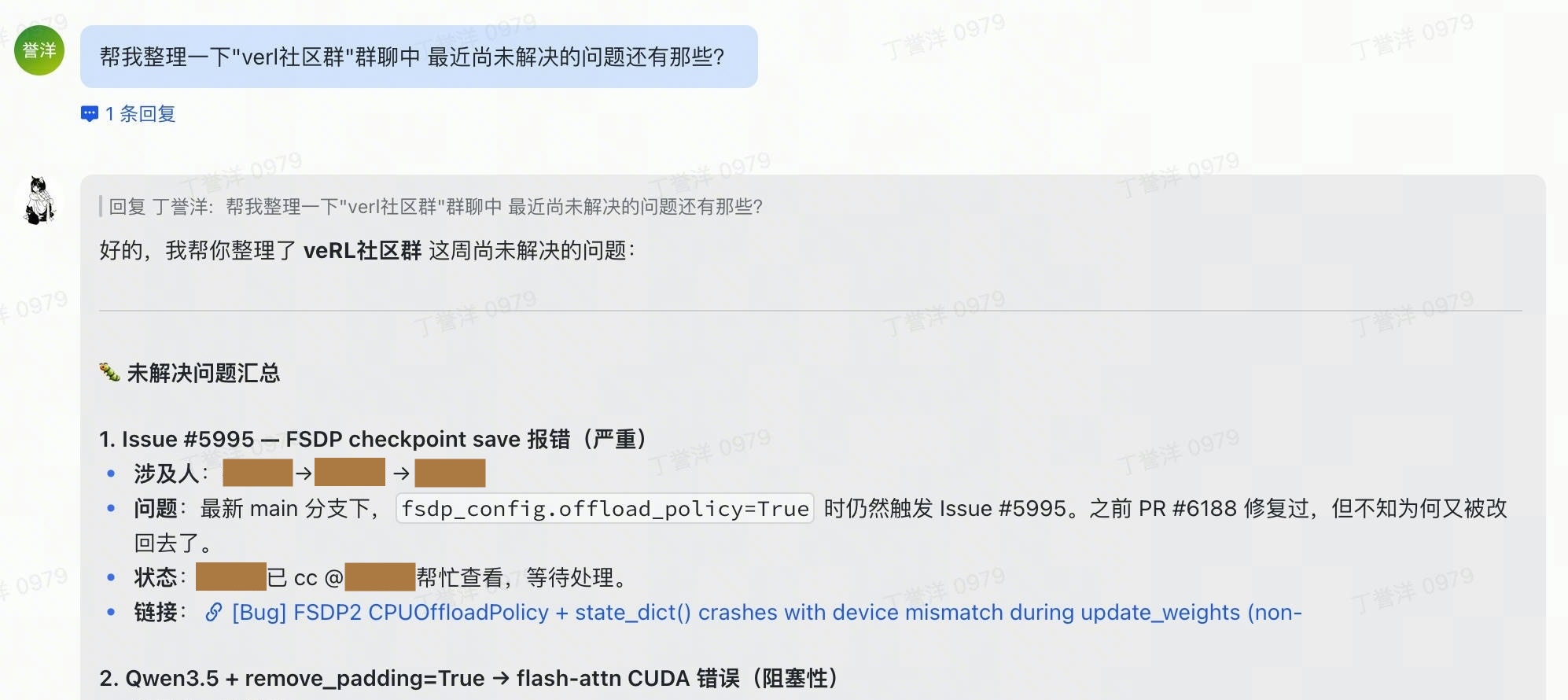
Instant Messaging: “what did Miko say about the launch last week?”
Mail: “draft a polite decline to this Friday invite”
Meetings and Minutes: “what did I commit to in yesterday’s standup?”
Bitable, Sheets, Tasks, Contacts, Drive, Approval, Whiteboard, OKR, and more: plug-and-play skill packs
Remember the person, not just the chat
Two layers of persistence:
Per-chat transcript: a JSON message log per
chat_id, preserving OpenAI-shaped assistant/tool linkage so multi-turn conversations continue cleanly.Long-term memory: model-written files under the configured
memory_dir(/workspace/memory/in the container for thelocal_attachdeployment, or~/.uni-agent/app/lark_chat/memory/on the host forlocal_native) —profile.md,preferences.md, and topic notes.
The transcript captures what happened recently in this chat. Memory captures what should remain true tomorrow: your name, timezone, team, projects, language preference, recurring constraints, and the people you often mention.
If history is trimmed, the process restarts, or the container is recreated, memory still lives where it was written. The next Lark message picks up from there.
Bring your own model
The app talks to any OpenAI-compatible chat-completions endpoint. Self-hosted serving stacks like vLLM or SGLang, public APIs, or an internal model gateway all work the same way. The model is just config:
model:
  base_url: http://localhost:8000/v1
  name: Qwen/Qwen3.6-35B-A3B
  api_key: EMPTY
Big GPU box? Run the bigger model. Laptop demo? Point it at a smaller endpoint. The Lark integration stays the same.
Step 0: Prerequisites and dependencies
macOS or Linux
Docker (used by the recommended
local_attachdeployment; not strictly required if you chooselocal_native)An OpenAI-compatible chat-completions endpoint
A Lark/Feishu app in the Lark Open Platform
Host-side dependencies are intentionally minimal. Clone the repo, create a virtualenv, install:
git clone https://github.com/yyDing1/uni-agent.git
cd uni-agent

python3 -m venv .venv
source .venv/bin/activate

pip install swe-rex pydantic loguru orjson aiohttp openai pexpect pyyaml
Step 1: Create a Lark bot
Create a Lark bot and authorize it.
npm install -g @larksuite/clito install the CLI;lark-cli --versionto verify.lark-cli config init --new, creates a new app in the Lark Open Platform (browser flow, capturesapp_id/app_secret).lark-cli auth login, OAuth device flow that binds the app to your Feishu account and grants its scopes.
The agent acts as this bot; its reach is exactly the scopes you authorized.
Deploy in a sandbox (Optional). Running LLM-generated shell directly against your host is risky on a personal machine. For isolation, spin up a Docker container first and run the same setup as above inside it (plus a swerex.server so the host process can attach over HTTP):
docker rm -f lark-chat-sandbox 2>/dev/null
docker run -d --name lark-chat-sandbox -p 18000:18000 \
  -v ~/.uni-agent/app/lark_chat/workspace:/workspace \
  nikolaik/python-nodejs:python3.12-nodejs22-bookworm tail -f /dev/null

docker exec -it lark-chat-sandbox bash -lc '
  set -e
  npm install -g @larksuite/cli
  pip install swe-rex
  lark-cli config init --new
  lark-cli auth login
  lark-cli auth status'

docker exec -d lark-chat-sandbox bash -lc '
  python3 -m swerex.server --host 0.0.0.0 --port 18000 --auth-token CHANGEME'
CHANGEME can be any string; just match it in Step 2.
Step 2: Configure
Open app/lark_chat/config.local_native.yaml, the default config:
deployment:
  type: local_native
  startup_timeout: 60.0

memory_dir: ~/.uni-agent/app/lark_chat/memory

model:
  base_url: http://localhost:8000/v1
  name: Qwen/Qwen3.6-35B-A3B
  api_key: EMPTY
  sampling_params:
    temperature: 1.0
    top_p: 0.95
    presence_penalty: 1.5
    top_k: 20
    repetition_penalty: 1.0

tools:
  - execute_bash
  - lark-cli
  - str_replace_editor
  - finish

skills_dir: ~/.agents/skills
transcripts_dir: ~/.uni-agent/app/lark_chat/transcripts

agent:
  action_timeout: 60
  max_steps_per_turn: 20
  history_max_tokens: 128000      # compaction trigger
  history_target_tokens: 32000    # post-compaction size
What each section does:
deployment: where the agent’s bash session runs.local_nativeruns in-process viapexpect;startup_timeoutcaps boot.memory_dir: long-term notes the agent writes (profile, preferences, topic memos). Survives restarts.model: any OpenAI-compatible chat-completions endpoint. Two common setups:Self-hosted: serve a model with vLLM or SGLang and point
base_urlat it (api_keycan be any non-empty string).Hosted API: e.g. Doubao Seed on Volc Ark, set
base_url: https://ark.cn-beijing.volces.com/api/v3,name: doubao-seed-1-6-250615(or your model id),api_key: <ARK_API_KEY>.
sampling_params: forwarded to the chat-completions call.tools: built-in tool wrappers exposed to the model.skills_dir: whereSkillsManagerfinds skill packs (lark-im,lark-base, …).transcripts_dir: per-chat JSON trajectory logs (model messages + tool calls + results).agent: per-action timeout, max model steps per Lark turn, and a hysteresis-style history budget —history_max_tokensis the compaction trigger,history_target_tokensthe size we compact back down to. While we stay under the trigger, the history is forwarded unchanged so the model server’s prefix KV cache hits across turns.
For local_attach, edit config.local_attach.yaml and override just the deployment block + memory_dir; everything else stays the same:
deployment:
  type: local_attach
  container: lark-chat-sandbox       # match docker run --name
  swerex:
    host: http://127.0.0.1
    port: 18000
    auth_token: CHANGEME             # match swerex.server --auth-token
  post_setup_cmd: cd /workspace

memory_dir: /workspace/memory        # container path; bind-mount /workspace to a host dir to persist memory across container restarts.
Step 3: Run
python -m app.lark_chat.main
That picks up config.local_native.yaml. For local_attach, pass the config explicitly:
LOCAL_ATTACH_AUTH_TOKEN=CHANGEME \
  python -m app.lark_chat.main --config app/lark_chat/config.local_attach.yaml
(LOCAL_ATTACH_AUTH_TOKEN is only needed when deployment.swerex.auth_token is null in the YAML.)
You’re live when you see:
Entering chat loop. Send a Lark message to the bot.